Wingdings Translator: Encode and Decode Wingdings Online
There was a time when emojis didn’t exist, and adding images while typing was very difficult because computers weren’t that advanced. People’s way of talking was very plain and simple, so this was kept in mind to make communication faster and more interesting. That is why the Wingdings translator was introduced. It converts plain and boring text into funny, engaging, and entertaining symbols to change the style of communication.
Type text below — it will appear as Wingdings symbols in all four fonts instantly.
How to Use Our Wingdings Translator?
Using our converter tool is not very technical or difficult. The method to use it is as follows:
To convert text from English to Wingdings:
First of all, write your text in the tool to get the converted font. As soon as you enter the text, it will automatically change into fonts. At the same time, your content will be converted into all three Wingdings versions (1, 2, and 3) as well as Webdings.
If symbols are not displaying correctly on your device, you may need to install the font. Follow our Wingdings Font download Guide to install it on Windows, Mac, Android, and iOS.
To convert text from Wingdings to English:
Converting your translated font back into English is very easy. You just need to select the decode option available in the tool, and your font or content will automatically change back into English.
What is the Wingdings font?
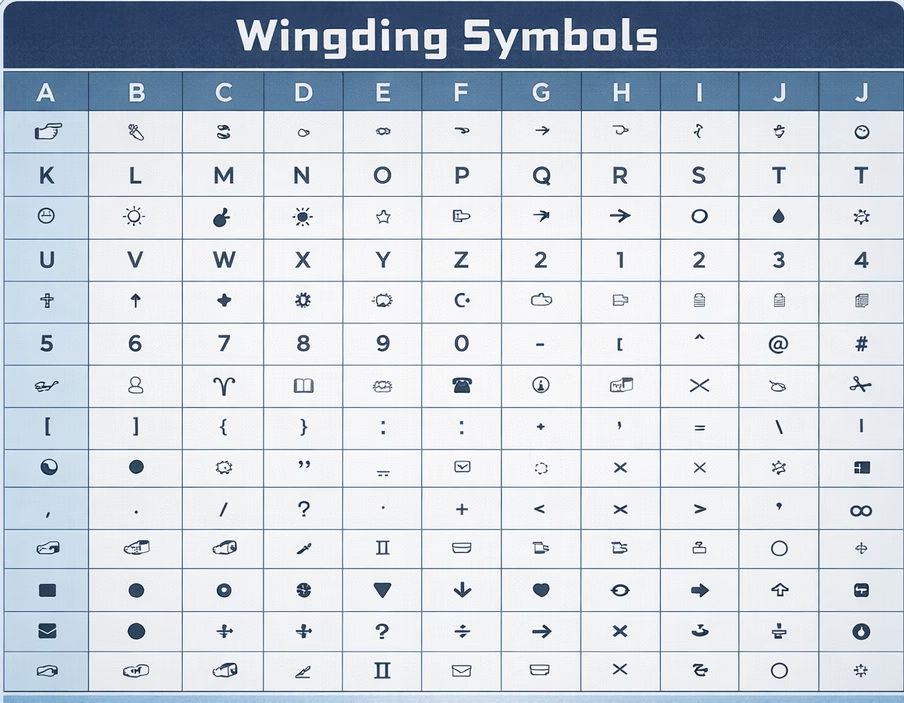
It is a symbol-based font set that transforms regular text into unique, aesthetic, and creative icons, created by Microsoft in the early 1990s. This tool quickly became popular for its distinctive style and is often used as a fun and creative way to communicate, often associated with Undertale’s Gaster character, who speaks entirely in Wingdings It generates styled arrows, symbols, meaningful designs, stylized numbers, funny faces, and emojis that you can easily copy and paste. The tool only changes the appearance of the text while keeping the original content the same.
Why use Wingdings instead of emojis?
There are several ways to use our translator:
Other features of our translator:
To understand this translator in depth and to explore its additional functions, its other uses are listed below:
- You can translate your text into Wingdings 1, 2, 3, and Webdings at the same time.
- You can copy and paste the content.
- Wingdings supports Unicode, which determines which symbol appears for each character or number, and the font shows symbols instead of letters.
- It is mainly used to decode and encode Wingdings text, such as converting Gaster-style text into specific icons.
- It includes a privacy policy, and your data is not stored or shared anywhere.