Arrow Symbols: Meanings, Types, and How to Use Them
Arrows are the oldest direction signs humans have — and on a screen, they’ve become a language of their own. Arrow symbols point, link, rank, scroll, upload, download, and in maths and logic they can mean “leads to” or “implies” without a single word of English. The trouble is choice: Unicode contains hundreds of arrows, and typing the wrong style can make a clean document look messy in seconds.
This guide organises the arrows that actually matter into families — by direction first, then by style — with their names, Unicode code points, and honest advice on where each one belongs.
Arrow Symbols by Direction: The Core Eight
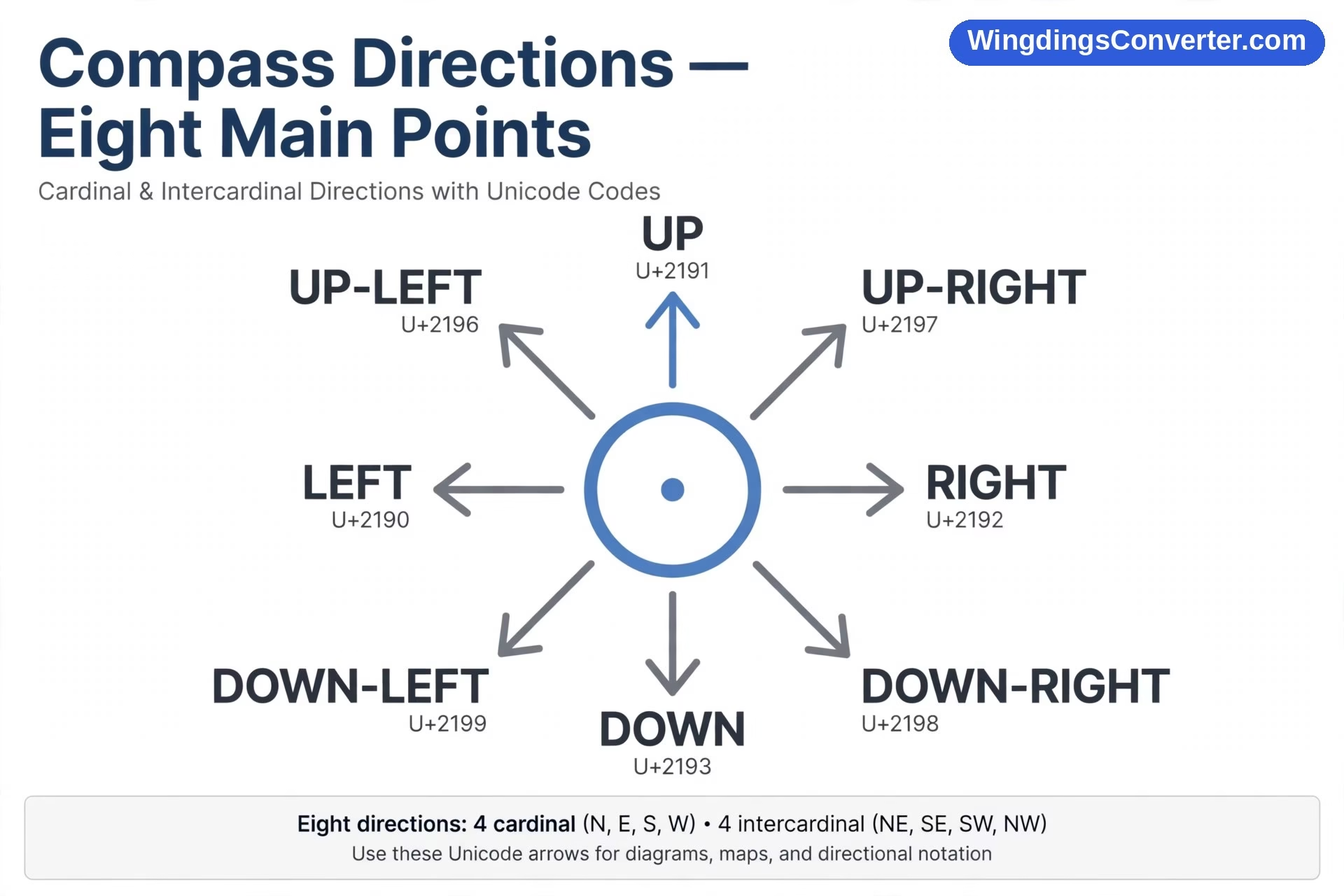
Every arrow family starts with direction. These eight basic arrows cover north, south, east, west, and the diagonals, and they’re the ones you’ll use 95% of the time.
| Symbol | Name | Unicode | Points |
|---|---|---|---|
| ↑ | Upwards Arrow | U+2191 | Up / north |
| ↓ | Downwards Arrow | U+2193 | Down / south |
| ← | Leftwards Arrow | U+2190 | Left / west |
| → | Rightwards Arrow | U+2192 | Right / east |
| ↔ | Left Right Arrow | U+2194 | Both ways |
| ↕ | Up Down Arrow | U+2195 | Vertical both ways |
| ↗ | North East Arrow | U+2197 | Up-right diagonal |
| ↘ | South East Arrow | U+2198 | Down-right diagonal |
| ↙ | South West Arrow | U+2199 | Down-left diagonal |
| ↖ | North West Arrow | U+2196 | Up-left diagonal |
The rightwards arrow → (U+2192) deserves special mention. It’s the hardest-working symbol in digital writing. It means “next,” “goes to,” “becomes,” and “therefore” all at once. “Mix flour → add eggs → bake” reads instantly. “Monday → Friday” implies a journey through the week. In instructions and flow descriptions, a simple → often replaces a whole clause.
The leftwards arrow ← (U+2190) usually means back, previous, or return — think browser back buttons and “← Back to results.” The upwards arrow ↑ (U+2191) signals increase, upload, or “scroll up / see above,” while the downwards arrow ↓ (U+2193) is its mirror: decrease, download, expand a menu, see below. Stock charts live on ↑ and ↓, often coloured green and red.
Diagonal arrows are less common in prose but invaluable in diagrams, maps, and trend descriptions — a ↗ chart line quietly says growth at an angle.
Two-Way Arrows: ↔ and Friends
The left right arrow ↔ (U+2194) means a two-way relationship: compare, exchange, or travel in both directions. Timetables use it for return routes, translators use it between languages (English ↔ Urdu), and comparison pages use it to say “these two things relate.”
Its vertical sibling ↕ does the same job up and down — useful for sortable table headers and height measurements. If a one-way arrow is a statement, a two-way arrow is a conversation.
Double Arrows: When One Line Isn’t Strong Enough
Double-line arrows borrowed their look from logic and maths, where they carry precise meanings — but everyday writing has adopted them for emphasis.
The best known is ⇒, the rightwards double arrow (U+21D2). In logic, A ⇒ B means “A implies B.” In casual writing, people use ⇒ to mark a conclusion: “It rained all weekend ⇒ the match was cancelled.” It feels stronger and more final than a single →.
There’s also a double-headed and double-stroked set for specialist work, and the chunky keyboard-era favourite =>, typed with equals and greater-than, which is just plain-text shorthand for the same idea. In polished documents, prefer the real character; in code comments and plain-text notes, => is perfectly understood.
Similarly, ⇐, ⇑, and ⇓ exist for the other directions. You’ll rarely need them outside maths, chemistry (where reversible reactions use a different harpoon-style arrow), or formal logic — but knowing they exist stops you mistaking them for typos when you meet them.
Heavy, Curved, and Decorative Arrows
Once you leave the clean geometric set, arrows get personality. These are the display arrows — useful for posters, slides, social posts, and wayfinding, risky for formal reports.
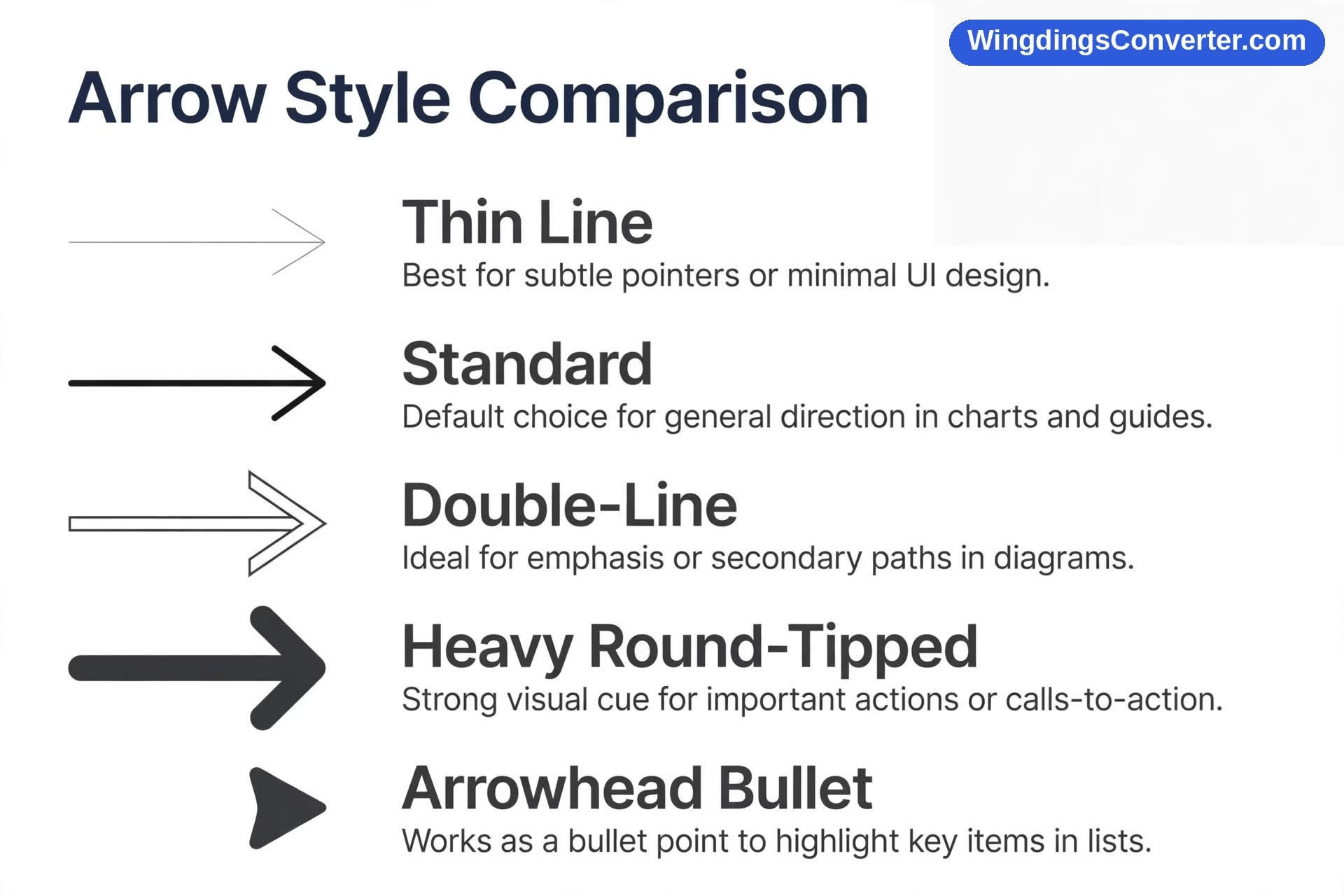
- ➜ Heavy Round-Tipped Rightwards Arrowhead (U+279C) — a bold, friendly pointer, popular in presentations and “click here” style callouts.
- ➤ Black Rightwards Arrowhead (U+27A4) — often used as a fancy bullet point in lists.
- ➔ Heavy Wide-Headed Rightwards Arrow (U+2794) — maximum emphasis, minimum subtlety.
- Curved arrows like ↩ (return / reply) and ↪ — familiar from email icons: ↩ is the classic “reply” curve, and a curved up arrow often marks a U-turn or a share action.
- Circular arrows ↻ and ↺ — refresh, reload, repeat, recycle. The clockwise circular arrow is now so tied to “refresh” that most people read it without thinking.
Use heavy arrows sparingly. One ➜ pointing at a signup button is effective. A page full of them is exhausting. These chunkier styles are also close cousins of the dingbat era — picture fonts were full of them — which is why the explainer on dingbat fonts is a natural next read if you like this corner of typography.
Arrows in Maths, Science, and Logic
In technical writing, arrows stop being pointers and become operators with agreed meanings:
- → in chemistry separates reactants from products: what you start with → what you get. A two-way harpoon set means the reaction can run both ways and reach equilibrium.
- → in maths can mean “tends to” (x → 0, “x approaches zero”) or mapping between sets.
- ⇒ in logic is implication; ⇔ is “if and only if” — the strongest two-way claim you can make.
- ↑ and ↓ in data mark increase and decrease, especially in tables where space is tight.
The lesson for general writers: if your audience includes scientists, those symbols already have jobs. Don’t borrow ⇔ for decoration in a report that also contains real analysis — you’ll confuse the people you’re trying to impress.
How to Type Arrow Symbols
You don’t need any of these on your physical keyboard. Here’s how people actually insert them:
In Microsoft Word: the Alt+X method
Type the hex code, then press Alt+X. 2192 Alt+X gives →, 2190 gives ←, 2191 gives ↑, 2193 gives ↓, 21D2 gives ⇒, 279C gives ➜. This is the fastest repeatable method once you’ve memorised your two or three favourites.
In Office apps generally
Insert > Symbol opens a chart where arrows live together in the Arrows subset. Slow for one arrow, handy when browsing for a style you haven’t chosen yet. The same menu approach is explained for Word symbol fonts in the guide to typing Wingdings symbols in Word — different font, same door.
On a Mac
Press Ctrl+Cmd+Space for the Character Viewer, search “arrow,” and filter by direction. Double-click to insert. Favourites you use weekly are worth starring.
Copy and paste
For a one-off arrow in an email, social post, or chat, copying → from a reliable page beats opening menus. The character is standard Unicode, so it pastes cleanly almost everywhere. The full official list lives in the Unicode character charts if you ever need an obscure variant.
What about typing –> and ==> ?
Plain-text arrows made of hyphens, equals signs, and angle brackets are a pre-Unicode habit that stuck around in code, chat, and notes. Everyone understands –> . Just don’t let them slip into a client-facing document where the real → is available — it reads like a rough draft.
Arrows vs. Triangles and Carets: Don’t Mix Your Pointers
A few lookalikes cause regular confusion:
- ► (play-style triangle) is a solid triangle, not an arrow. It means play, expand, or “next section” in media interfaces.
- ^ (caret) points up but it’s a text character with its own jobs — see its entry in common keyboard symbols and their meanings.
- > (greater-than sign) alone is a comparison, not a direction, though a row of >>> in chat is pure emphasis.
- ➢ and similar arrowheads have no shaft at all; they’re bullets, not pointers to a destination.
Keeping these distinct sounds pedantic until a slide deck mixes all four and the audience can’t tell bullets from directions.
Choosing the Right Arrow: A Practical Checklist
Ask three quick questions:
- Is this prose or a poster? Prose wants the clean U+2190–U+2193 family. Posters and slides can handle heavy arrows.
- Is the meaning directional or logical? If you’re claiming cause or implication, consider ⇒ and use it consistently.
- Will it be copied elsewhere? Standard arrows survive copy-paste, email, and phones. Exotic arrows from symbol fonts may not — the same warning that applies to check mark symbols applies here, and the fix is the same: prefer real Unicode characters over font tricks.
Arrows in Interfaces: The Ones You Click Every Day
Look at your phone and you’ll spot a private dialect of arrows that nobody teaches but everybody reads. A chevron (›) at the edge of a settings row means “tap for more.” A small up-arrow on a share icon means send or upload this. A down-arrow into a tray means download and save. Two arrows chasing each other in a circle mean syncing. None of these are quite the text arrows above — they’re icons built on the same instinct. That instinct is exactly why text arrows work so well in writing: your reader learned to follow pointers long before they learned to read. When you place a → in a sentence, you’re borrowing thousands of daily micro-decisions your audience already makes without thinking.
Frequently Asked Questions
What is the most commonly used arrow symbol?
The rightwards arrow → (U+2192), by a wide margin. It covers next steps, sequences, transformations, and “leads to” in a single character, which is why it appears in everything from recipes to software menus.
How do I type an arrow in Word quickly?
Type the Unicode hex code and press Alt+X — for example, 2192 then Alt+X for →, or 21D2 then Alt+X for ⇒. After a few uses you’ll remember the codes for your regular arrows, and it’s much faster than the Symbol menu.
What’s the difference between → and ⇒?
→ is a general-purpose pointer: next, towards, becomes. ⇒ comes from logic and means “implies,” so it carries a stronger, more conclusive feel. In casual writing people use ⇒ for emphasis; in technical writing, keep its logical meaning intact.
Why does an arrow I copied show as a box on my phone?
The font on that device probably doesn’t include that particular arrow — common with exotic or heavy variants. Stick to the core arrows (U+2190–U+2194 range) for maximum compatibility, or check why symbols show as boxes for troubleshooting.
Are arrow emoji the same as arrow symbols?
No. Emoji arrows like ➡️ have a fixed coloured, boxed presentation that varies by platform and can’t be resized or recoloured like text. Plain arrow symbols are text characters: they inherit your font size and colour, which is what you want in documents.
Can I use arrows as bullet points?
Yes — ➤ and ➜ are popular list markers in informal documents and slides. Just be consistent: one bullet style per list, and avoid heavy arrows in formal reports where a simple • or ✓ reads as more professional.
Conclusion
Arrow symbols reward a little restraint. Learn the core directional set, keep ⇒ for real conclusions, save the heavy display arrows for slides and posters, and type everything as genuine Unicode so your arrows survive the journey between apps. Do that, and a symbol humans have scratched on cave walls and road signs will work just as clearly in your next document.