Star Symbols: Types, Meanings, and How to Type Them
Five gold stars. A star pupil. A star on a bedroom ceiling. Star symbols are how we mark excellence, favourites, importance, and actual astronomy — all with shapes that, if we’re honest, look nothing like real stars. The family is bigger than the familiar ★, too: there are outline stars, sparkle stars, circled stars, six-pointed stars with deep religious meaning, and an asterisk that is secretly a little star in disguise.
This guide sorts them by type, explains what each one tends to mean, and — most usefully — shows you how to type star symbols wherever you’re working.

The Core Star Symbols
Start with the pair you’ll use most. Almost every star you’ll ever need in a document is one of these two, or a close relative.
| Symbol | Name | Unicode | Best for |
|---|---|---|---|
| ★ | Black Star | U+2605 | Ratings, favourites, emphasis |
| ☆ | White Star | U+2606 | Empty rating slots, light decoration |
| ✦ | Black Four-Pointed Star | U+2726 | Sparkles, accents, bullet flair |
| ✪ | Circled White Star | U+272A | Badges, highlights, logos |
| * | Asterisk | U+002A | Footnotes, wildcards — not decoration |
| ⭑ | Black Small Star | U+2B51 | Compact ratings and lists |
The black star ★ (U+2605) is the star. Solid and unmistakable, it’s the universal rating unit — ★★★★☆ on a product means four out of five, a sentence anyone on Earth can read. It’s also the favourite marker in apps, the “star this message” icon in chat tools, and a tidy way to flag important items in notes.
Its partner, the white star ☆ (U+2606), is the same shape hollowed out. Pairing them creates the rating scale: filled stars for score earned, outline stars for score missing. On its own, ☆ is a gentle decorative touch in headings and social bios where ★ would shout.
That filled/empty partnership is worth copying in your own documents. A line like “Priority: ★★★☆☆” in a project list communicates at a glance, no legend required.
Sparkle and Decorative Stars
Not every star has five points. A second family trades the classic shape for glints and sparkles — the stars of anime eyes, jewellery ads, and “new!” badges.
The black four-pointed star ✦ (U+2726) is a diamond-like sparkle with curved sides, and its smaller or outlined relatives fill out the set. These read as shine rather than rating. Use them as elegant bullets, as separators between sections (✦ ✦ ✦), or anywhere a five-pointed star would wrongly suggest a score.
The circled white star ✪ (U+272A) puts a star inside a ring, which makes it feel like a badge or a seal — good for highlighting a winning entry, a staff pick, or a featured item. Because it looks official, one ✪ carries more weight than a row of ★s; overusing it deflates it.
There’s also a whole decorative neighbourhood in Unicode’s Dingbats range — the same territory that produced many check mark symbols — where stars come pinwheeled, shadowed, and six-petalled. Browse them when designing; avoid them in anything that must survive plain-text copying.
Six-Pointed and Other Meaningful Stars
Some stars are not decoration at all, and treating them as such would be a real mistake.
The six-pointed hexagram — two overlapping triangles — is the Star of David, a central symbol of Jewish identity and faith, and it appears on the flag of Israel. It exists in Unicode as ✡ (U+2721, Star of David). Context makes its meaning; it is not a rating star with an extra point.
Likewise, the crescent-and-star combination is strongly associated with Islam and appears on several national flags, and five-pointed stars themselves carry national meaning on flags from the United States to China and Vietnam — where the star’s points can represent groups of people or guiding principles. Pentagrams (five-pointed stars drawn with continuous lines, often circled) carry religious meaning in Wicca and historical occult traditions, quite separate from a plain ★.
The respectful takeaway: shape alone doesn’t set meaning — history does. When a star appears on a flag, a place of worship, or a memorial, read it as identity, not ornament.
The Asterisk: The Star Hiding on Your Keyboard
The word asterisk comes from Greek for “little star,” and the humble * (U+002A) earns the name. It’s in this guide because it’s a star by birth, even if its jobs are different: it marks footnotes, hides passwords, works as a wildcard in searches (*.pdf finds every PDF), and wraps actions and emphasis in plain-text chat.
Don’t use the asterisk as a rating star, though. “***” under a product reads as redacted text or swearing, not three stars. The real ★ sits in a different league of clarity — and if you need the full rundown of the asterisk’s day jobs, it’s covered in common keyboard symbols and their meanings.

What Star Symbols Mean in Everyday Use
Pulling the threads together, stars do five recurring jobs in modern writing and interfaces:
- Rating — ★★★★☆: quality at a glance, the most universal star job of all.
- Favourite / bookmark — the star icon in browsers, email, and chat apps means “keep this, find it later.”
- Importance — a starred item, a starred rep in sports, a “starred” note: the star flags what matters most.
- Excellence and fame — star pupils, star athletes, movie stars, Michelin stars. The metaphor of a bright, distant, admired object is baked into the language.
- The literal sky — in astronomy and astrology contexts, stars mark celestial bodies, though science writing usually prefers more precise notation.
Notice how many of these are about singling something out. A star is never neutral background — it always points and says “this one.”
How to Type Star Symbols
In Microsoft Word
Type the hex code, then press Alt+X: 2605 Alt+X gives ★, 2606 gives ☆, 2726 gives ✦, 272A gives ✪. This is by far the fastest method for documents you control. If you also work with symbol fonts, note the difference: a Unicode star pasted anywhere stays a star, while a Wingdings glyph depends on the font — the converter on the Wingdings homepage demonstrates that distinction in seconds.
In Office apps generally
Insert > Symbol, then look in the Miscellaneous Symbols and Dingbats subsets. Stars live near hearts, checks, and arrows, so a single browsing session can stock your mental toolbox for the whole family — see arrow symbols for the pointy neighbours.
On a Mac
Press Ctrl+Cmd+Space to open the Character Viewer and search “star.” You’ll see text stars and emoji stars like ⭐ side by side; for documents, pick from the text results so sizing and colour stay under your control.
On phones and online
The star emoji ⭐ is the go-to for chat and social posts. For ratings in a caption or bio, though, many people still type ★★★★★ as text because readers can count partial scores — ⭐⭐⭐⭐ with no empty slots can’t show “four out of five” as elegantly.
The copy-paste safety net
Copying ★ from this page works everywhere and is not cheating. The official reference for every star variant, with names and code points confirmed, is the Unicode character charts — and for the deep background of how picture characters like these ended up standardised, Wikipedia’s page on dingbats is a surprisingly good read.
Star Symbols in Ratings: Getting the Conventions Right
Since ratings are the star’s biggest job, a few conventions are worth following:
- Always show the scale. ★★★★☆ (four of five) informs; ★★★★ alone could be four of four, five, or ten.
- Keep the order consistent. Filled first, empty after, never mixed randomly.
- Don’t inflate. Five devices reviewed, all ★★★★★, teaches readers to ignore your stars entirely.
- Half stars have no single classic text character; most systems either round or use an image/emoji. In plain text, rounding honestly is the accepted approach.
Stars in Symbol Fonts and Old Documents
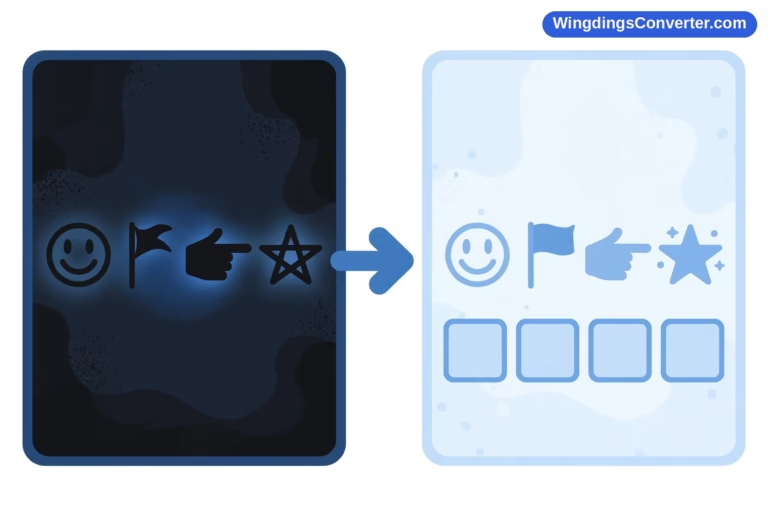
If you open an older Word document and find letters where stars ought to be — or stars where letters ought to be — you’ve probably met a dingbat font. In fonts like Wingdings and Zapf Dingbats, ordinary letters were drawn as pictures, stars included. That system worked beautifully as long as the document never left a machine that had the font. The moment it did, a decorative star could collapse back into a plain letter, and readers were left decoding gibberish. Modern Unicode stars ended that gamble: a ★ typed today is stored as “black star,” not as “a letter wearing a costume.” If you inherit an old file that looks wrong, pasting its text into a converter and switching the font back and forth usually reveals what the author intended — and then it’s worth retyping the important symbols as proper Unicode characters so the document is fixed for good.
Frequently Asked Questions
How do I type ★ on my keyboard?
There’s no dedicated key. In Word, type 2605 and press Alt+X. On a Mac, use the Character Viewer (Ctrl+Cmd+Space) and search “black star.” Anywhere else, copy and paste ★ — it’s a standard Unicode character and will paste as text.
What’s the difference between ★ and ☆?
★ (U+2605) is solid — the “filled” or earned star. ☆ (U+2606) is the outline — the unearned or empty slot. Together they build rating scales like ★★★★☆. Used alone, ☆ is simply the lighter, more decorative of the two.
Is ⭐ the same as ★?
No. ⭐ is an emoji, with a fixed yellow, platform-drawn appearance. ★ is a text character that follows your font, size, and colour. Use ★ in documents and ratings; use ⭐ in chat and social posts where the emoji style is the point.
What does a six-pointed star symbol mean?
Most commonly, the six-pointed star ✡ is the Star of David, an important symbol in Judaism. Six-pointed stars appear in other historical and decorative contexts too, but you should never treat ✡ as a generic rating or decoration symbol.
Can I use star symbols in passwords or file names?
It’s risky. Some systems reject symbol characters in passwords only after you’ve set them, and a ★ in a file name can break syncing or show as a box on another device. Keep stars for document content and display text, where they shine safely.
Why does my star show as a square box in some apps?
The app’s font doesn’t include that star variant. The core stars ★ and ☆ are supported almost everywhere; rarer decorative stars are not. If portability matters, stick to U+2605 and U+2606.
Conclusion
One last tip before you go: build a tiny personal cheat sheet. Most people, once they learn the codes, only ever reuse three or four stars — ★ for ratings, ☆ for the empty slots, ✦ for a decorative break, and maybe ✪ for a featured pick. Write those four codes next to your monitor for a week, and by the end of it you’ll type stars as fluently as you type an @ sign, without opening a single symbol menu.
Star symbols earn their place by saying a lot quickly: quality, importance, favour, fame. Stick to ★ and ☆ for honest ratings, borrow ✦ and ✪ when you need sparkle or a badge rather than a score, respect the stars that carry cultural meaning, and type everything as genuine Unicode. That’s the whole craft — small symbols, used deliberately.